From Jakarta to Bandung, sikat stays with you where service is offered.
sikat Mobile App - Liga 1 Markets & BCA Virtual Account
Our mobile app e-walletngs live football markets, casino tables, and payment methods directly to your device. Whether you're following Liga 1 from Jakarta, tracking Piala AFF updates in Surabaya, or settling in for a live-dealer session, the sikat app synchronizes your account, betting history, and balance across iOS and Android platforms.

- StartFirst Game
- DownloadAPK
- LoginOTP Verification
- SHA256 Match
We designed the app for two concurrent workflows: matchday monitoring (game information, league standings, in-play updates) and table access (Dragon Tiger, roulette, slot games). Both operate on the same login, unified payment wallet, and KYC verification status. Our engineering prioritizes low-latency streaming, encrypted device communication, and offline account access so you can review your history even without an active connection.
sikat App Overview and Installation
We offer the sikat app through Apple's App Store and Google Play Store. Both versions run the same backend infrastructure, so your account, wallet, and betting history remain synchronized whether you log in via the app, mobile browser, or desktop. The app requires iOS 12.0 or later on Apple devices and Android 8.0 or later on Google devices.
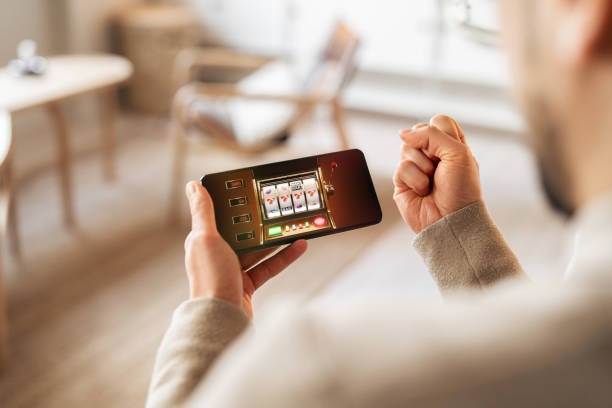
Download begins through the official store. On first launch, we prompt you to either log in (if you already have a sikat account) or create a new one. If you prefer to continue using your browser account, your credentials work unchanged—username, password, and two-factor authentication (if enabled) carry across. Our server validates login attempts and enforces the same fraud-detection rules as the desktop site.
After login, the app requests permission to access your device's notification service. We use this solely to alert you to pending KYC document requests, withdrawal confirmations, and large incoming transactions. You can disable notifications at any time through your device settings without affecting account functionality. The app does not store payment card data, bank account numbers, or e-wallet credentials locally; it transmits all payment instructions over an encrypted channel to our payment-processing partner.
App size and storage requirements
The sikat app requires approximately 85 MB of free storage on Android and 120 MB on iOS. Live-video streaming (for Dragon Tiger and roulette tables) buffers in temporary cache and clears after you close the session.
Once installed and logged in, you land on the home tab. From here, you can navigate to five main sections: Football (Liga 1, Piala AFF, Champions League markets), Casino (live tables and slots), Account (profile, KYC, transaction history), Payments (deposit and withdrawal), and Help (FAQs and support contact). Each tab is accessible via the bottom navigation bar.
Core Features: Football Markets, Live Dealers, and Payment Integration
Football Markets and game information
Our Football tab aggregates Liga 1, Piala AFF, Piala Indonesia, Piala Asia, and Champions League fixtures. We update odds in real time during live matches, so if you're tracking Jakarta-based Liga 1 teams or Medan-based rivals, you see market movement as lineups are announced and early goals shift probabilities. The app displays upcoming fixtures across the next 14 days, plus a historical archive of settled matches so you can review prior seasons.
Tapping a fixture opens detailed odds for that match: win/draw/loss, over/under goals, player performance props, and half-time/full-time combinations. Our odds update every 2–5 seconds during live play. Below the odds card, you see in-play statistics: possession, shots on target, corner count, and live commentary feed. This dual view—markets on top, stats below—lets you make informed decisions without switching apps.
Live-Dealer Tables and Slots
The Casino tab organizes tables by type: Dragon Tiger, Andar Bahar, roulette, blackjack, baccarat, and our slot catalog (Aviator, Sweet Bonanza, Gates of Olympus, Fortune Tiger, Mahjong Ways). Each table shows the current dealer, number of seated players, minimum stake, and table availability. We partner with multiple live-studio providers so several tables run simultaneously; you can choose based on dealer language preference, table limits, and camera angle.
Tapping a table launches the live stream and betting interface side-by-side. On the left, you see HD video (or quad-camera feed for premium tables); on the right, your bet slip and chat window. Once you place a wager, it transmits to our backend, the dealer receives it, and the outcome is streamed back to your device within milliseconds. All bets are logged to your transaction history within two seconds of resolution.

Payment Methods: DANA, e-wallet, mobile banking, local payment, and Bank Virtual Accounts
Our Payments tab surfaces two workflows: Deposit and Withdrawal. For deposits, we offer online payment, e-wallet, mobile banking, local payment, online payment, e-wallet, and virtual accounts from mobile banking, local payment, online payment, and e-wallet. We do not charge deposit fees; the transaction cost (if any) is borne by your e-wallet or bank. Deposits typically settle within seconds for e-wallets and within one to three hours for bank transfers during business days.
To deposit via mobile banking or local payment, you tap the payment method, enter your desired amount (no fixed minimums; we accept any amount above a nominal threshold), and authorize through your app. We generate a unique transaction reference so you can track it. Once our payment partner confirms the transfer, your account balance updates immediately.
For withdrawals, you select a payment method from those you have registered during account creation. Our standard withdrawal window is one business day for verification and processing; during Idul Fitri or Idul Adha, this may extend to two to three business days. We require you to match the withdrawal method to the deposit method for your first few withdrawals—this is an anti-fraud safeguard. After that, you can withdraw to any registered account.
E-wallet benefits
- subject to verification confirmation and balance update
- No bank transfer delays; funds available within seconds
- Withdrawals settle same day if initiated before noon
Bank transfer considerations
- Deposits may take one to three hours depending on bank and time of day
- Withdrawals require additional verification during holiday periods
- Virtual account expiry; we regenerate new accounts periodically for security
Account and KYC Management
The Account tab shows your profile (username, email, registered phone number), KYC status, login history, and active sessions. We require identity verification (passport or national ID) and payment-method confirmation for all accounts. This is a global anti-fraud standard and helps us prevent unauthorized access and money-laundering misuse.
Our app prompts you to upload identity documents on first login. We accept photos of Indonesian national IDs (KTP), passports, or driver's licenses. The photo must show your full face, both document sides (if applicable), and be taken in good lighting. Our verification team reviews submissions within four to eight business hours. If we need clarification, we send a request through the app and you can resubmit.
Once KYC is complete, you unlock full deposit and withdrawal functionality. Before that, you can browse odds and tables but cannot place wagers or move funds. Your KYC status remains valid until you change your registered name or address; we do not require annual re-verification.
Tips and Common Troubleshooting
Key takeaways
- Always log out of shared devices; our session timeout is subject to verification of inactivity
- If you forget your password, use the "Forgot password" link and verify via the email or phone number on file
- Live tables may experience brief buffering during peak hours (10 PM – 2 AM) when server load is highest
- Your app updates automatically through the App Store or Play Store; enable auto-update to stay on the latest version
- If a deposit shows as pending after four hours, contact our support team with your transaction reference
Connectivity and Video Streaming
We recommend a stable Wi-Fi or 4G connection for live-dealer tables. Video bitrate adapts automatically: on Wi-Fi, we stream at 1080p; on 4G, we drop to 720p to avoid buffering. If you experience frequent freezing, check your signal strength (the app displays bars in the video footer) and move closer to your router or switch to a different network if available.
If the stream cuts out mid-table, we automatically reconnect within five seconds. Your bets placed before the disconnect are held; once video returns, you see the outcome. However, if the disconnect lasts more than 60 seconds, we void any pending wagers to protect both you and the dealer from ambiguity.
Account Recovery and Support Channels
If you cannot log in, tap "Forgot password" on the login screen. We send a reset link to the email address registered on your account. Click the link, set a new password, and try logging in again. If you do not receive the email within five minutes, check your spam folder or contact our support team.
Our Help tab within the app provides direct access to FAQs, live chat support, and email. We respond to chat queries within one to four hours during business days and Saturdays. On Sundays and during Idul Fitri, Idul Adha, and Imlek, response times may extend. Email inquiries typically receive a reply within 24 hours.
For account security issues (unauthorized login attempts, suspicious withdrawals, lost device), call our English-language support hotline or use the "Report Issue" form in the Help section. We escalate these cases to our trust and safety team immediately.

We encourage you to enable two-factor authentication (2FA) through the Account tab. This adds a second layer of protection: after you enter your password, we send a time-based code to your phone, and you must enter it to complete login. Even if someone obtains your password, they cannot access your account without this code.
Regularly review your login history (visible in the Account tab) to spot unauthorized access. If you see a login from an unfamiliar device or location, change your password immediately and contact support. We can also revoke all active sessions from a remote control panel, forcing you to log back in on all devices.
Offline Features and Account Sync
The sikat app caches your most recent transaction history, odds snapshots, and account balance so you can review them offline. However, you cannot place new wagers or deposit funds without an active internet connection—our platform requires real-time backend validation for all financial transactions and live table play.
Once you reconnect, the app syncs automatically. If there are discrepancies (e.g., a bet you placed on Wi-Fi but could not confirm), our backend resolves the conflict by checking server-side records and updating your app accordingly. You always see the authoritative account balance from our database, not a stale local copy.
Service Availability and Jurisdiction Compliance
Our services are available only where local law permits. We do not offer our platform in jurisdictions where online wagering is prohibited. Users are responsible for verifying that access and use comply with their own jurisdiction's law. Our app does not geofence or block access based on user location—instead, we rely on you to make that determination.
If you access sikat from a jurisdiction where our services are not legally available, we reserve the right to suspend your account and process a full refund of any balance. This is not a penalty but a compliance measure to avoid legal liability for both you and our platform.